
Quotes and proposals
Build a professional quote in minutes, with totals and GST calculated for you.
Quote faster, and keep what was agreed
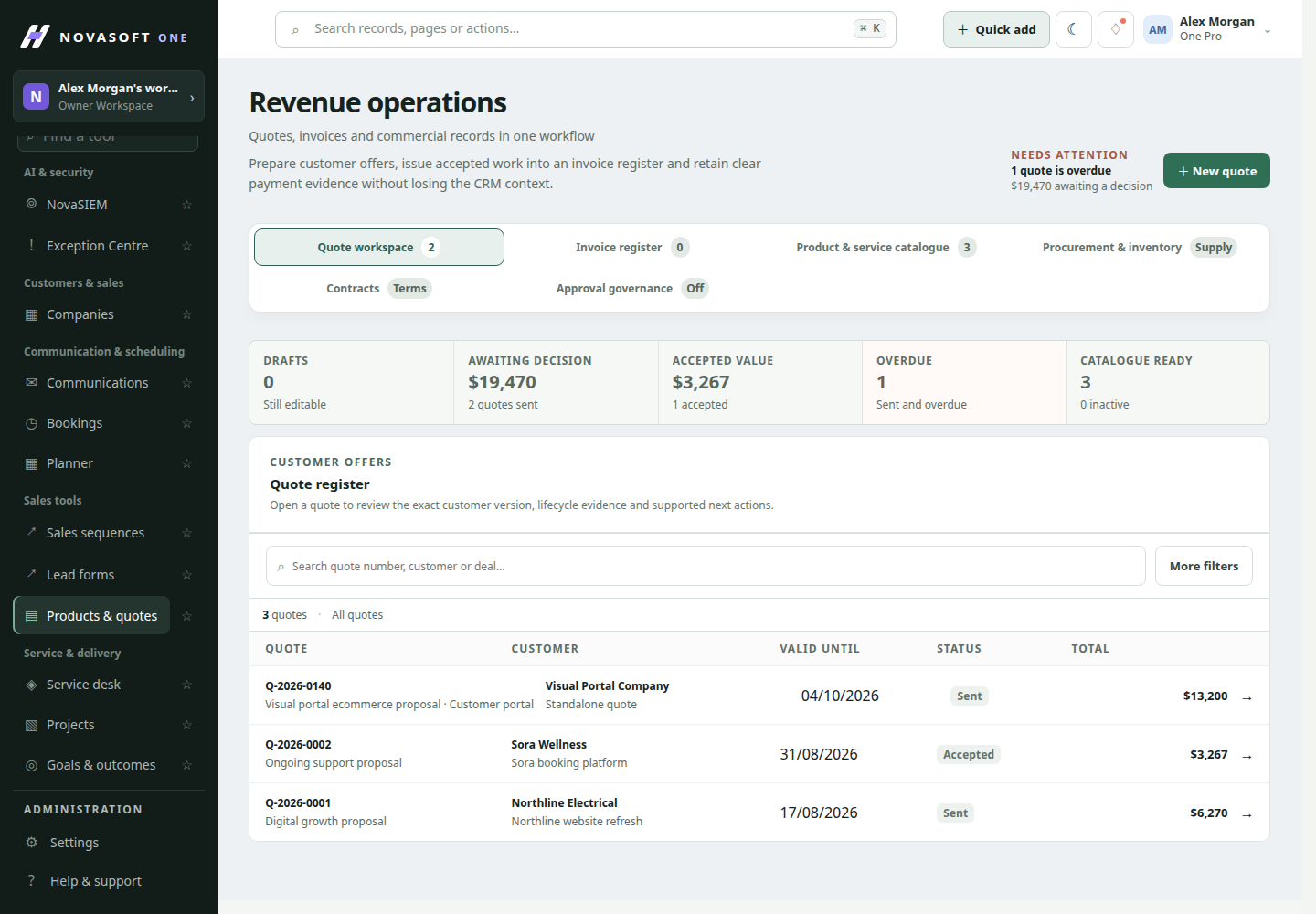
Pick items from your catalogue, adjust quantities and discounts, and NovaSoft One calculates the totals and tax. Produce a printable proposal, track whether it’s been accepted, and keep a copy of the exact version the customer saw.
- Send a quote the same day as the site visit
- Get totals and GST right every time
- Know exactly what a customer accepted
How it works
Build the quote
Choose the customer and deal, add items from your catalogue and set quantities and discounts.
Check the totals
NovaSoft One calculates line totals, tax and the grand total for you.
Send and track
Produce a printable proposal, record the customer’s decision and keep the accepted version.
A revised quote
A customer asks for a cheaper option. The estimator revises the quote, removes two items and sends the new version. Both versions stay on the deal, so everyone knows what was offered when.
Good to know
- Quotes are on every plan, including Free.
- Quote approvals are on Business; accounting handoff exports start on Professional.
Questions about Quotes and proposals
More answers on the questions page.
Can customers view quotes in the portal?
Yes, where you share them through the customer portal on Starter plans and above.
Can we see our margin on a quote?
Staff can see margin details that never appear on the customer’s copy.
Guides on this topic
Practical advice for small businesses, whichever software you use.
How to write a quote customers say yes to
What to include in a quote, how to present options and prices clearly, and the small details that make a quote easier for a customer to accept.
Quotes and moneyGST on quotes and invoices: a plain-English guide
When a small business must register for GST, how to show GST on quotes, and what a valid tax invoice must include, in plain English with ATO links.
Quotes and moneyDiscounts and approvals: protecting your margin
How small businesses can let staff negotiate without giving away margin: discount limits, simple approval rules and keeping a record of every decision.
Works well with
Start with the customers you already have.
Free for up to two people, with no card needed. Upgrade when you need service, projects or automation.