
What it covers
Search and filter large lists, save useful views, update records in bulk, and open related deals, tasks, tickets and documents.
Customer management
A working record for each person, with ownership, tags, follow-ups and linked activity.
How it works
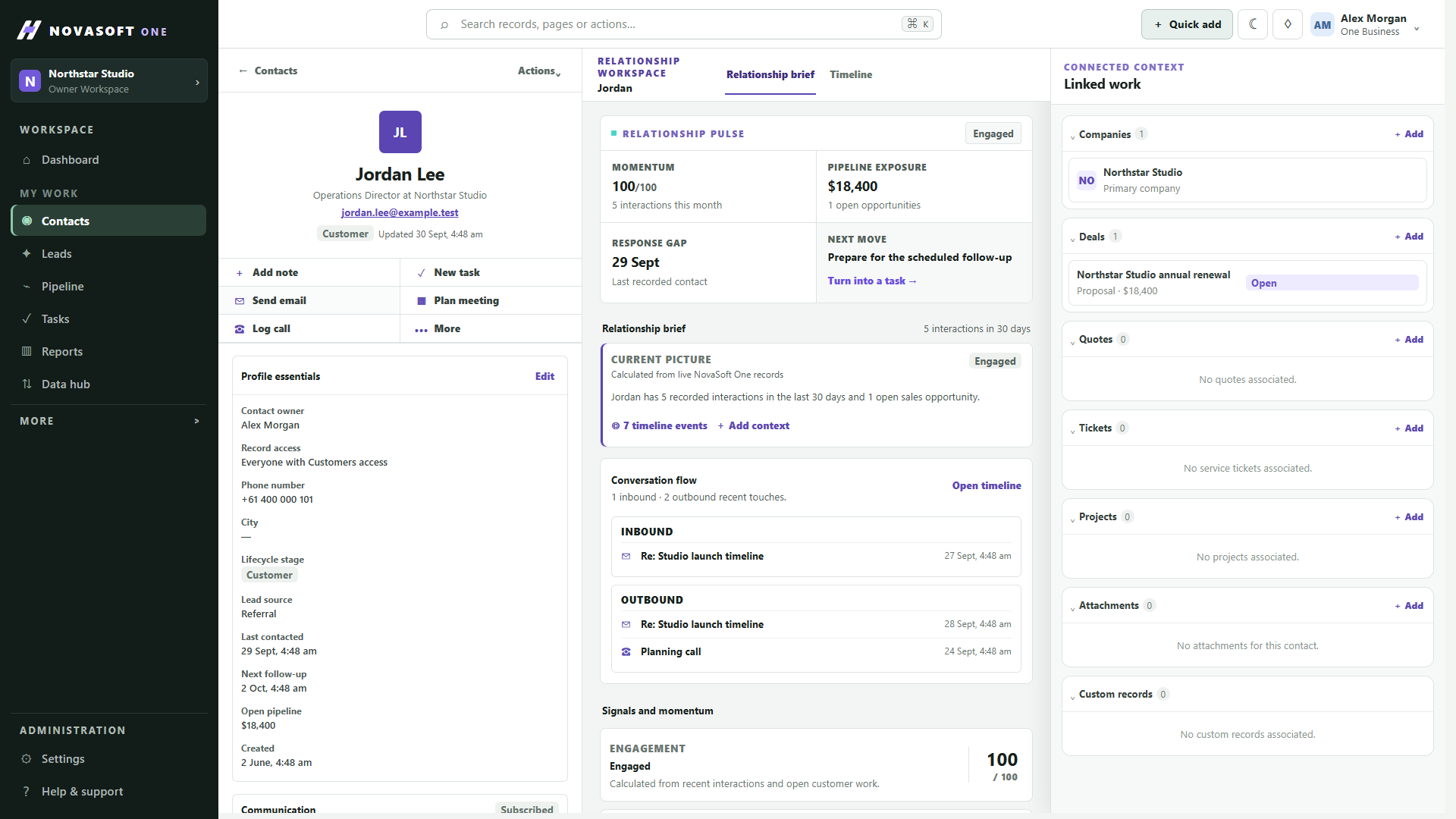
Give each contact a working record for ownership, tags, follow-up and the activity around the relationship. Search, filter and save the views your team returns to, then open related work without losing context.
Search and filter large lists, save useful views, update records in bulk, and open related deals, tasks, tickets and documents.
Bulk update selected records and review linked deals, tasks, tickets and documents from the contact.
When to use it
A working path
Search and combine the available status, company, source, tag, follow-up and completeness filters. Save a view when the same working criteria will be useful again.
Open a contact to review ownership, tags, follow-up details and linked activity. Related deals, tasks, tickets, projects and documents appear only when your permissions allow them.
Edit an individual record or select eligible contacts for a bulk update. Confirm the affected selection before applying a change, then return to the saved view to continue the queue.
Illustrative scenario
Filter for contacts at one company, open the right person, check recent activity and linked opportunities, then record the agreed follow-up so another teammate can see it.
Before you start
Yes. Contact records can show related sales, service, project and document records when those areas are available to you.
Supported archived records can be reviewed through the permission-aware recycle workflow.
Get started
Start with the core CRM for free, then add the tools your team needs.